|
|
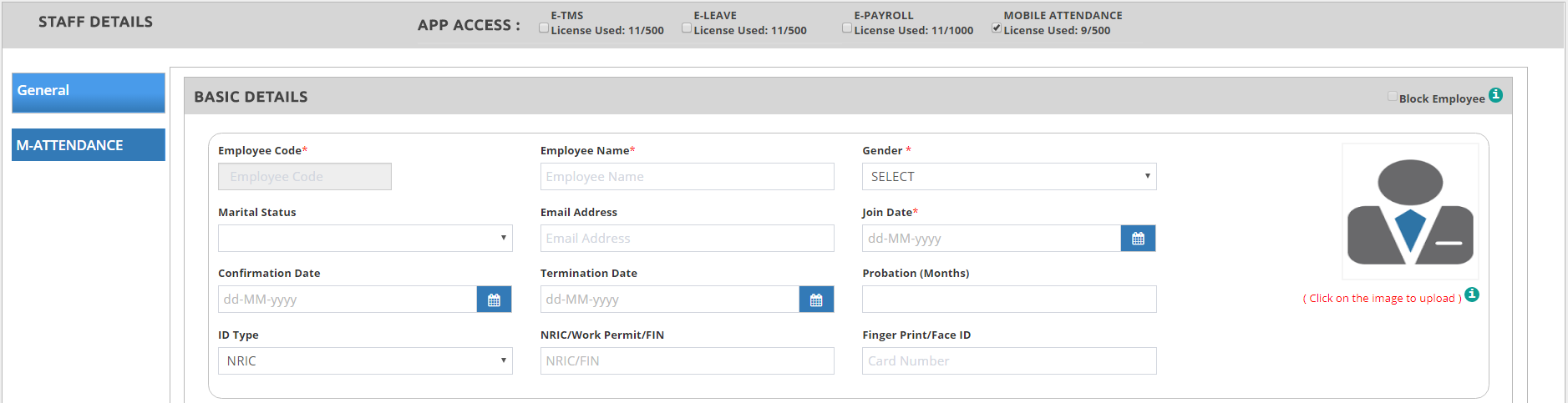
➢Go to Master > Employee Basic Details > click ➢Select the APP ACCESS by ticking on the system the employee can use ➢The APP ACCESS ticked will automatically show on the left side of the page oGeneral tab – is common across all cloud system
✓Enter the Employee Code and Employee Name. ✓Gender – select whether Male / Female. This is important when activating the Maternity Leave. ✓Marital Status – select whether the employee is Single, Married, Widow, Divorced. ✓Enter the Email Address of the employee – this email address will receive the notifications regarding leave applications, access activations of the employee. ✓Join Date – key in the date joined of the employee. This is important to be able to calculate the annual/medical leave eligibility of the employee. ✓Confirmation Date – key in the confirmation date of the employee. ✓Termination Date – key in the last day of employment of the employee. The day after the date you have entered, the employee would not be able to log in to the system anymore. ✓Block – this indicates that the employee is prevented from re-joining the company again. ✓Click on the image to upload the employee’s photo.
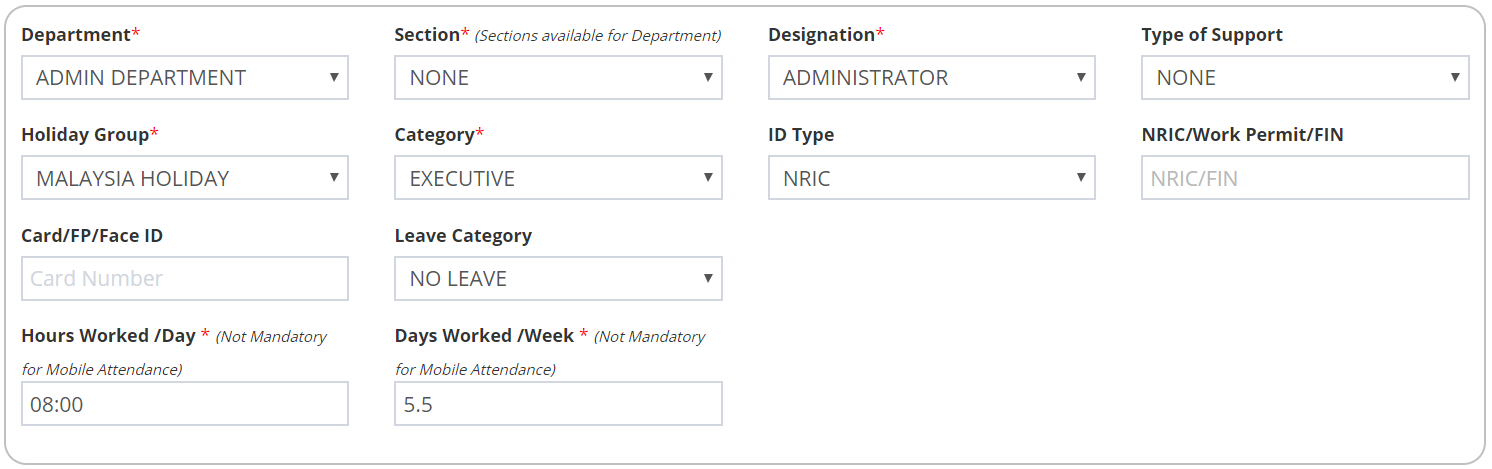
✓Select the Department, Section, Designation, Designation Group and Category that this employee belongs to. ✓Select the Holiday Group that this employee follows. See Holiday Group for further information. ✓Select the ID Type and enter the NRIC/Work Permit/FIN of the employee. ✓If this employee can access the TMS please enter the Card/FP/Face ID number of the employee. This is needed for capturing the employee’s attendance (Time In/Out). ✓Select the Leave Category that this employee is entitled to. ✓Enter the Hours Work/Day and Days Work/Week of this employee.
✓Enter the Children Details (Name, Date of Birth, Gender, Birth Certificate No., Singapore Citizen (Yes/No)). This is needed for Child Care and Maternity Leaves entitlement.
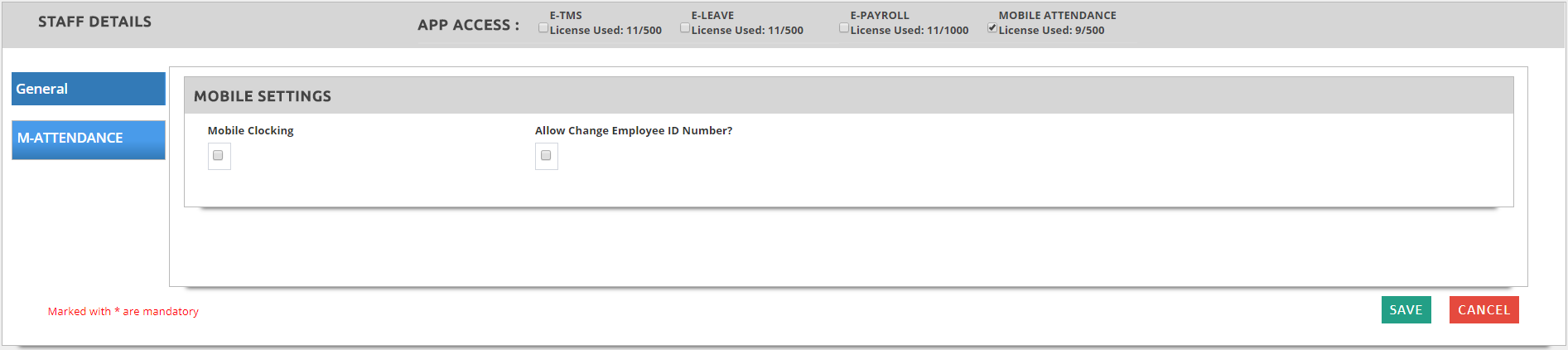
**Note: Please refer to below link for further information regarding the Child Care Leave: http://www.mom.gov.sg/employment-practices/leave/childcare-leave/eligibility-and-entitlement ✓Click on ✓Tick on Mobile Clocking if the employee is allowed to do clocking (IN/OUT) using mobile phone ✓Tick on Allow Change Employee ID Number? to allow employee to clock IN / OUT on behalf another employee. This is usually for Supervisors/Administrators
✓Click
|