|
|
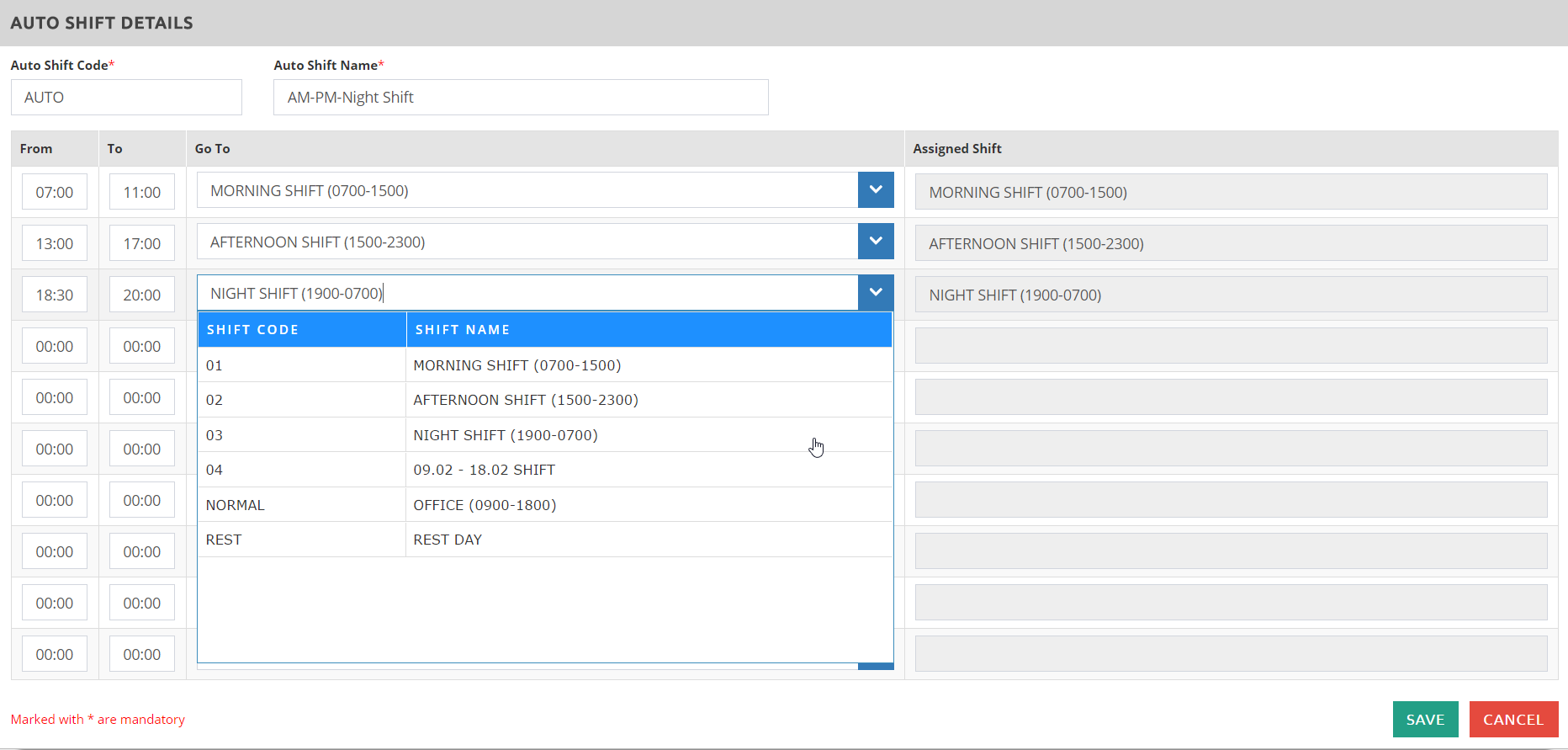
This system functionality is often used for employee(s) who does not have a fixed working shift pattern. This works best if the employee is assigned to work in the morning shift on Monday, afternoon shift on Tuesday, and on Wednesday will depend on the manpower need if it will be a morning or afternoon shift. The system will automatically assign the shift based on the clock IN of the employee for that day.
How to create an Auto Shift?
✓Go to Shift Settings > Auto Shift ✓Click ✓Enter the Auto Shift Code and Auto Shift Name. ✓Enter the From and To which represents the time in of the employee. ✓Select, from the drop down menu of the Go To column, the shift that will be assigned to the employee if they clock IN between the entered From and To timings.
✓ Click
|